







0 Registros)
common-we-found-results-matching "0" in 0 ms
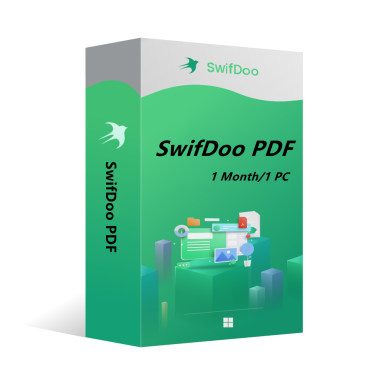
SwifDoo PDF Monthly Plan 1PC CD Key Global
-13%
Nuevo Caliente

SwifDoo PDF Monthly Plan 1PC CD Key Global

SwifDoo PDF is an all-in-one PDF editor. The program actually contains a lot of other PDF tools. Along with the editor feature, there are a variety of options to convert PDFs into more editable formats such as Word and PowerPoint files, and you can save space by combining individual PDF documents into one file.
Mostrar todo el contenido
17.49EUR 20.00EUR
Plataforma:
PC
Región:
Global
Etiquetas:
Antivirus & Security
Valores:
En stock
1-500
¿Cómo activar?

También te puede interesar

Más

SwifDoo PDF is an all-in-one PDF editor. The program actually contains a lot of other PDF tools. Along with the editor feature, there are a variety of options to convert PDFs into more editable formats such as Word and PowerPoint files, and you can save space by combining individual PDF documents into one file.

Key features of SwifDoo PDF include:

View and edit PDF documents.

Compress PDF documents.

Convert PDF files to other formats.

Split and merge multiple PDF files.

Sign and password protect PDF documents.

Add/Remove watermarks to PDF documents.

OCR


OS: Win 11, 10, 8, 7, and XP (32 & 64)

License Type: 1 license for 1 PC


The activation code is the "1-Month Pro" license, which supports 1 PC with version upgrade protection. In such case, you need not to pay additional fee to upgrade the current version to each later version within 1 month.


To install SwifDoo PDF:

Run the setup program -> Accept License Agreement -> Select destination location -> Follow the installation guide -> Finish


Online Registration

After acquiring a SwifDoo PDF license key, visit and login the user center at https://www.swifdoo.com/usercenter and a Redeem-Code window pops up. At this time, you need to copy the activation code you received and paste it into the Redeem-Code box, then press Submit. By doing these, you have finished online registration.


Notes

For a successful registration, please make sure no blank is left in any location of the activation code.

¿Cuánto tardaré en recibir la clave tras la compra? ¿Dónde puedo encontrarla?
La clave se entregará automáticamente en 3-5 minutos. Puede consultarla en "Mis pedidos comprados".
¿Qué hacer si no puedo activar mi clave?
Existen varios motivos por los que la clave no se activa. El problema más común es la incompatibilidad entre su sistema informático y la clave adquirida. Compruebe primero si la versión de su sistema (por ejemplo, Windows Pro) cumple los requisitos. Si el problema continúa, contacte con nuestro servicio de atención al cliente 24 horas y le ayudaremos a cambiar la clave rápidamente.
¿Cómo solicitar un reembolso o un cambio?
Si desea solicitar un reembolso o un cambio, contacte con nuestro servicio de atención al cliente 24 horas y facilite la siguiente información: • Su número de pedido • Capturas de pantalla relevantes (mensaje de error de activación, detalles de la compra, etc.) Trataremos su solicitud lo antes posible.
¿Cuánto tarda en llegar el reembolso?
Los reembolsos de pagos con PayPal se procesan al instante. Para pagos con tarjeta o transferencia bancaria, los fondos suelen tardar entre 7 y 10 días hábiles en llegar, según los procesos bancarios y las normativas locales. Si tiene dudas sobre el estado del reembolso, no dude en contactarnos.
Sobre devoluciones y cambios
Active su licencia en un plazo de 180 días después de la compra. Ofrecemos el cambio gratuito de la clave si surgen problemas durante este periodo.